
Executive Summary
Cybercriminals are increasingly using fake calendar invitations to trick people into clicking malicious links, scanning QR codes, giving up login credentials or downloading malware.
Why does it work? Because most of us don’t look at a calendar invite with the same suspicion we give an unexpected email.
A meeting, invoice notice or other event may appear legitimate—or even show up directly on your calendar. But if you weren’t expecting it, don’t automatically trust it just because it’s on your schedule.
What to do:
- Be suspicious of unexpected calendar invitations.
- Don’t click links or scan QR codes unless you know why you received the invite.
- Verify unusual requests with the sender another way.
- Report suspicious invitations as phishing or spam rather than interacting with them.
- Be especially cautious if you’re asked to enter credentials or download software.
The big takeaway:
We’ve learned to think before we click in our inbox. Now it’s time to do the same thing with our calendars.
One click away from a bad day.
We’ve all been trained to be suspicious of strange emails.
Don’t click unexpected links. Don’t open suspicious attachments. Check the sender.
But what about a meeting invitation that suddenly appears on your calendar?
Cybercriminals are increasingly using fake calendar invitations to deliver phishing attacks and malware, taking advantage of something most of us interact with every day without giving it much thought.
And these attacks are growing quickly.
Why Calendar Invites?
The effectiveness of this attack comes down to one thing: trust.
We’re accustomed to receiving calendar invitations from coworkers, customers, vendors, networking contacts and organizations we work with. When an appointment appears on our calendar, our first instinct usually isn’t:
Could this be malicious?
Attackers are counting on that.
Calendar invitations can contain links, QR codes, attachments and other information in the event description. In some cases, email and calendar platforms may even add an invitation to your calendar automatically before you accept it.
That means a malicious invitation can potentially get past the moment when you would normally scrutinize an unfamiliar email.
How the Attack Works
The attack can begin with what appears to be a normal calendar invitation.
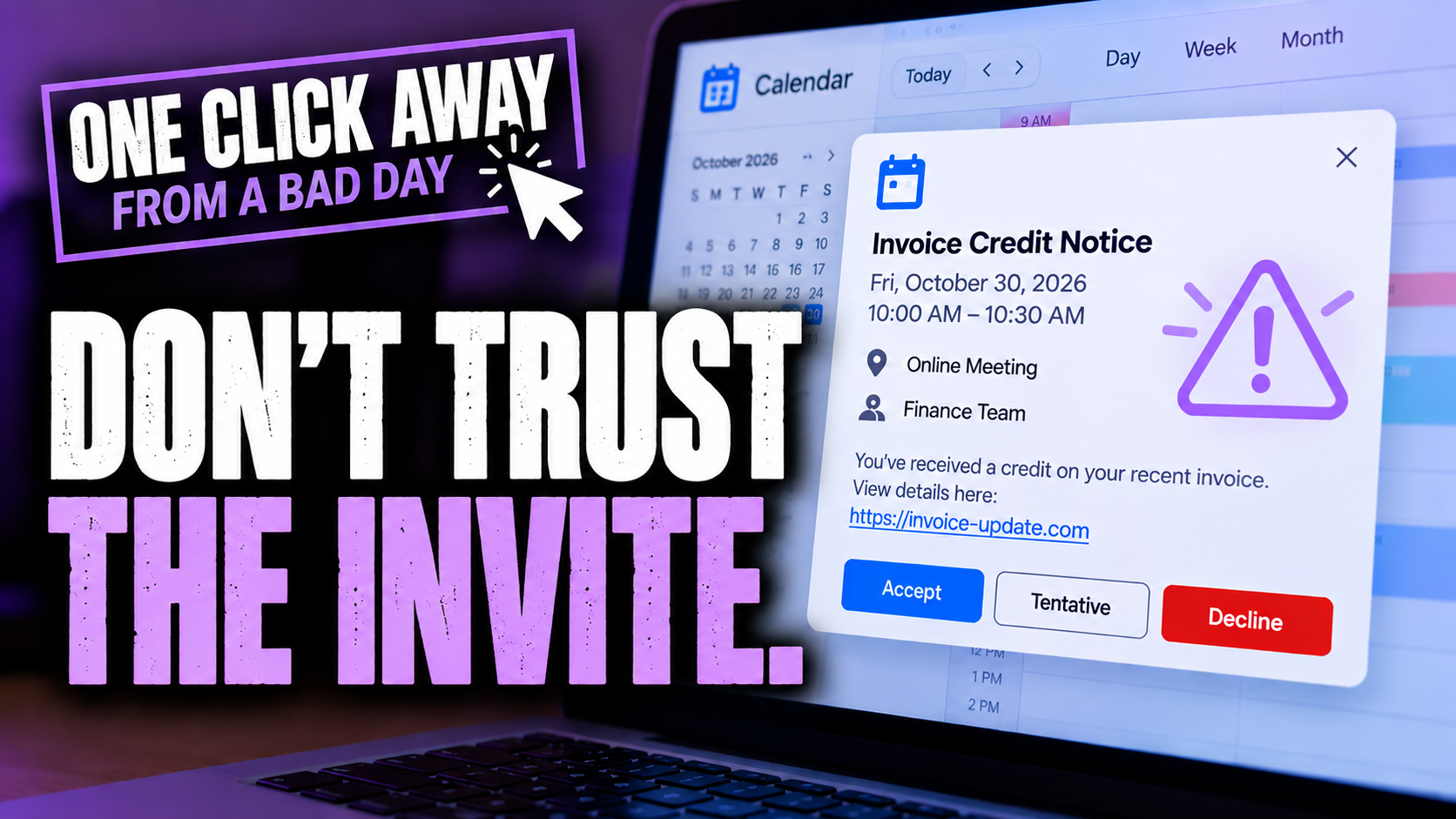
The subject might reference something designed to get your attention—a payment, invoice, voicemail, meeting request or other seemingly legitimate business matter.
Inside the invitation is the real trap: a link, QR code or instruction encouraging you to take action.
Clicking the link can send you to a convincing website designed to steal your login credentials or convince you to download malicious software.
In one documented campaign, attackers used a fake financial notice claiming the recipient had received a credit against an invoice. The calendar invitation directed the victim to a webpage that ultimately attempted to deliver a malicious installer.
The invitation itself wasn’t necessarily dangerous.
The action it convinced the user to take was.
Even “Decline” Isn’t Always the Best Answer
Here’s another wrinkle.
When an unexpected invitation appears, your instinct may be to simply click Decline.
But responding to a malicious invitation can potentially confirm to the attacker that your email address is active and monitored.
Instead, if an invitation is clearly suspicious, the safer approach is to report it as phishing or spam and delete it without interacting with the content inside it.
If the invitation appears to come from someone you know but seems unusual, verify it with that person through another method—send them a new email, message them directly or give them a call.
Don’t use the contact information or links contained in the suspicious invitation itself.
A New Place to Apply an Old Rule
There’s an important lesson here for organizations.
Security awareness can no longer stop at the inbox.
Employees should treat unexpected calendar invitations with the same caution they would an unexpected email, text message or Microsoft Teams message.
A few simple habits can make a big difference:
- Be cautious of unexpected calendar invitations, especially those involving invoices, payments, voicemails or urgent requests.
- Don’t click links or scan QR codes in an invitation unless you know why you received it.
- Verify unusual meeting requests through a separate, trusted communication channel.
- Report suspicious invitations instead of interacting with them.
- Be especially cautious if a website asks you to download software, enter credentials or follow unusual technical instructions.
- Keep endpoint protection, email security and identity protections current.
Organizations should also review how their email and calendar platforms handle invitations from unknown senders. Security tools and policies can help, but employees still remain an important line of defense.
One Click Away from a Bad Day
Cybercriminals continually look for places where we’ve learned to feel comfortable.
First it was email.
Then text messages, shared documents, QR codes and collaboration platforms.
Now even the calendar deserves a second look.
The takeaway isn’t that every unexpected meeting invitation is dangerous. It’s simply that a calendar entry shouldn’t automatically earn your trust just because it made it onto your schedule.
If something doesn’t look right, don’t click.
Take a moment. Verify it another way.
Because sometimes the difference between an ordinary workday and a very bad one really is just one click.
Envizion. A better way.